Catholic life and institutional service, working together.
CatholicCompanionOS connects personal faith, family life, parish service, Catholic education, diocesan governance, vendors, cloud operations, and permission-aware intelligence without fragmenting identity or data.
Inside the product
Real screens from CatholicCompanionOS.
Captured from the mobile and iPad application under development, with synthetic demo data. These are not web-portal screenshots. Names, records, and figures are fictional; any “Live” labels describe the test interface, not public production availability. These authentic captures retain the previous product branding; the product is now named CatholicCompanionOS.
Mobile / iPad · In development
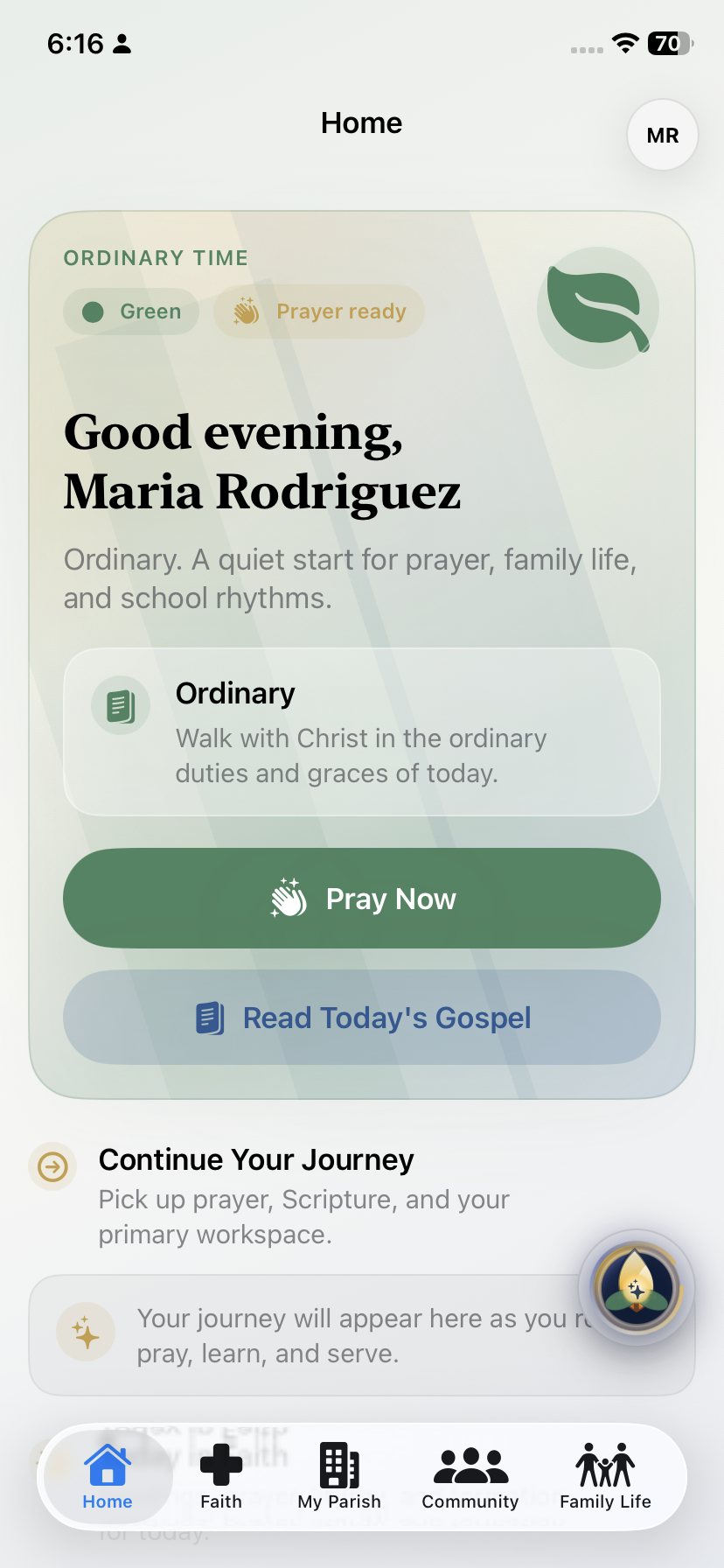
A personal starting point
The mobile Home screen brings a personal greeting, prayer, and Gospel reading entry points together.
Select the image to view the full screenshot.Mobile / iPad · In development
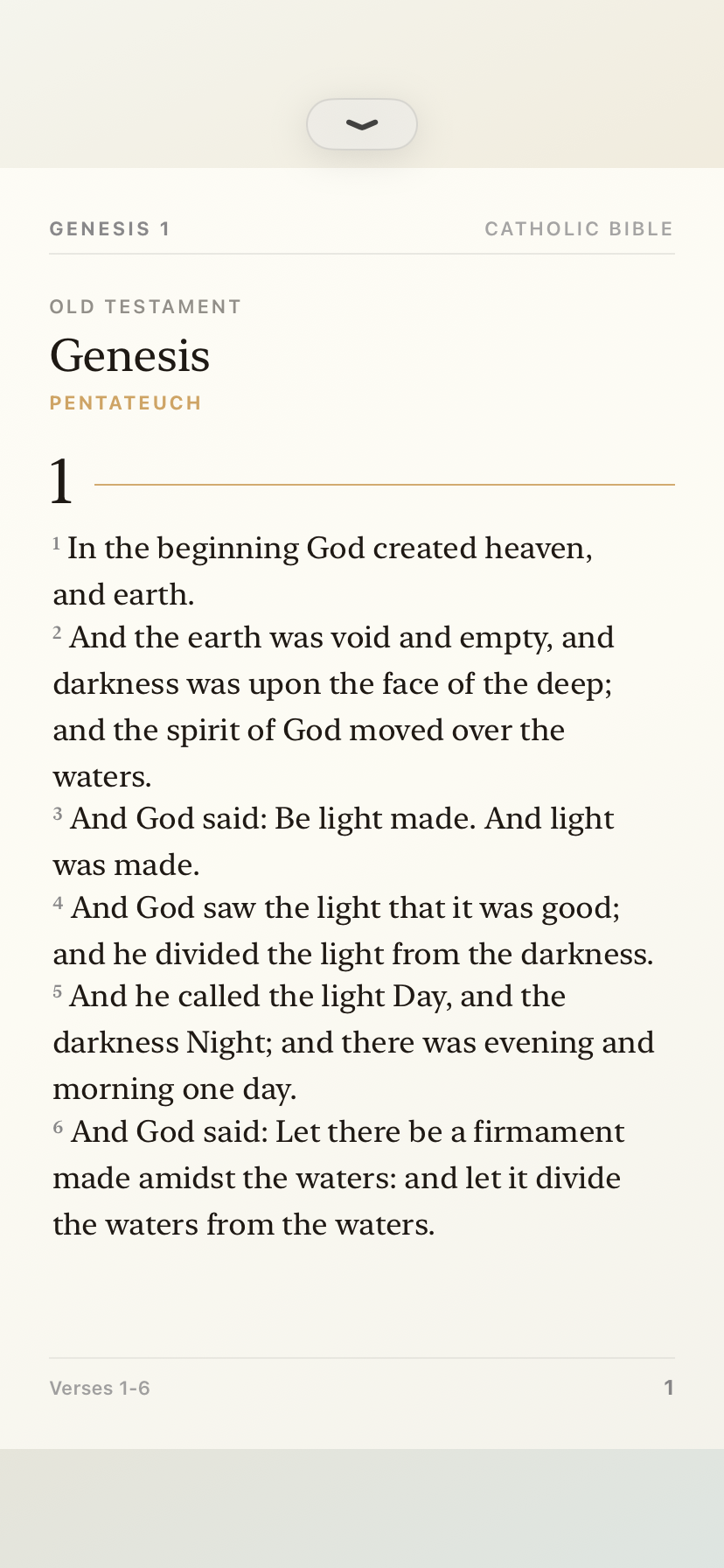
Scripture, made readable
The Bible reader presents Scripture with chapter, verse, and page context in a focused reading view.
Select the image to view the full screenshot.Mobile / iPad · In development
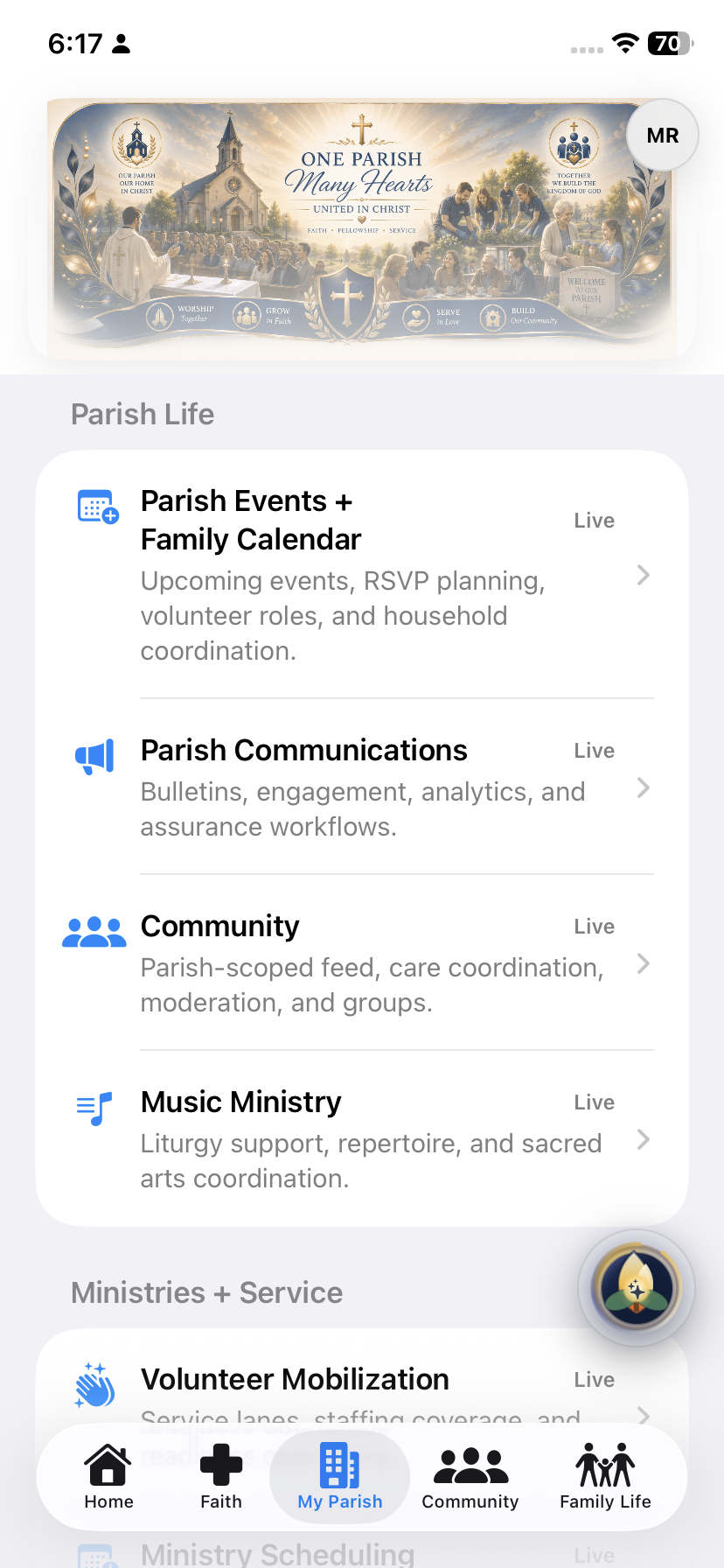
Parish life in one place
My Parish groups the entry points for parish events, communications, community, and ministry. This capture shows navigation, not completion of each workflow.
Select the image to view the full screenshot.Mobile / iPad · In development
Meet Lux
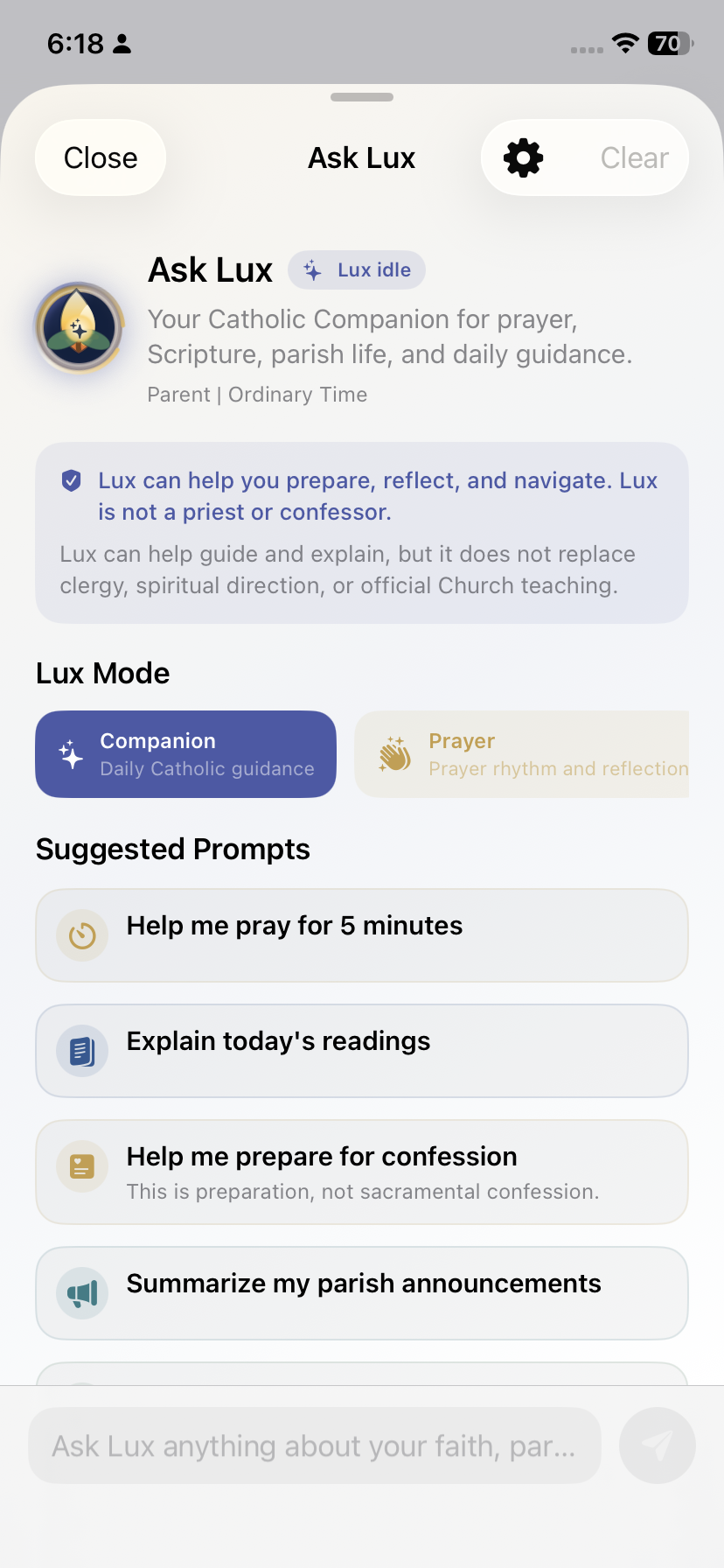
Lux introduces its scope and suggested starting points before a conversation. This idle screen does not demonstrate a generated answer or autonomous action.
Select the image to view the full screenshot.Mobile / iPad · In development
A family view of school life
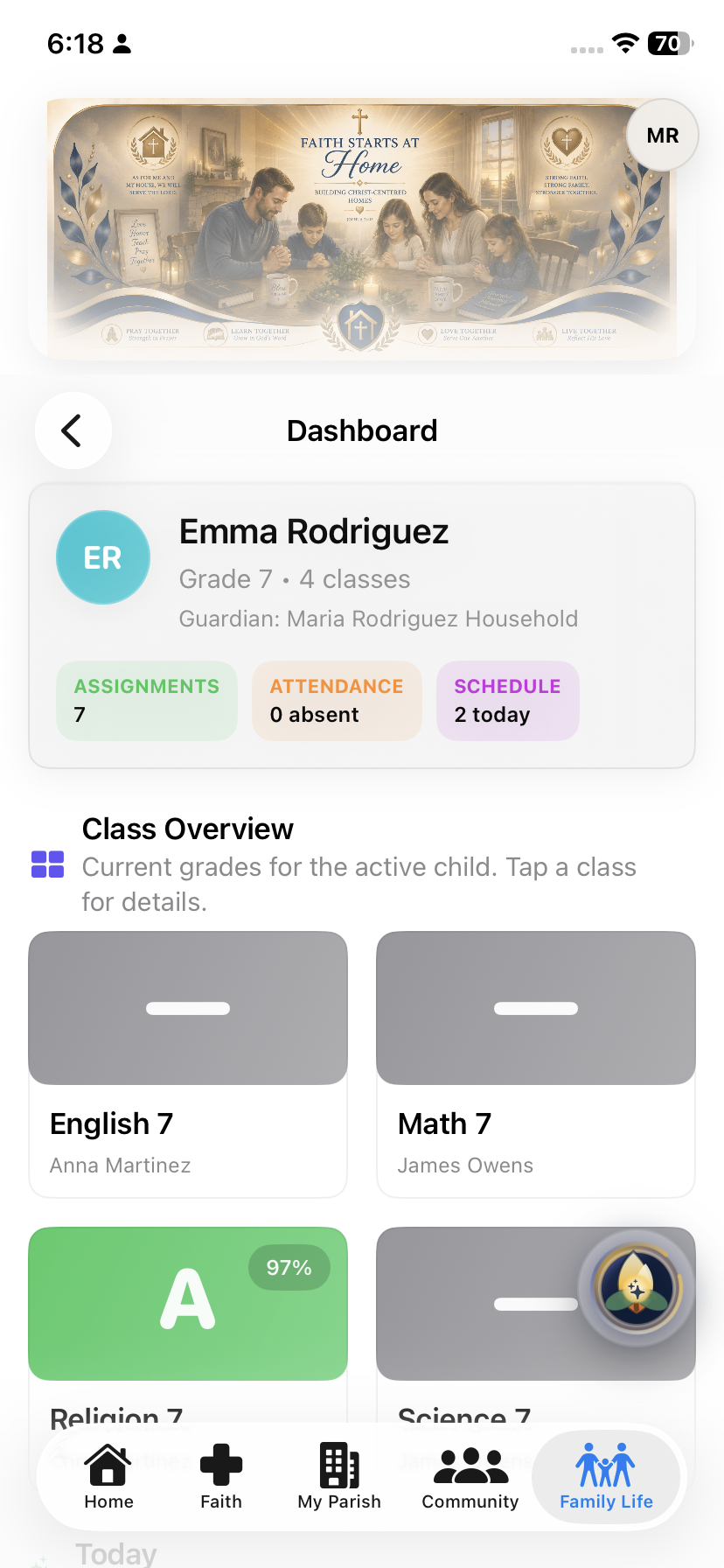
The mobile family dashboard shows a student summary, attendance, assignments, and class cards. All displayed names and education records are synthetic demo data.
Select the image to view the full screenshot.Mobile / iPad · In development
A workspace for vendors
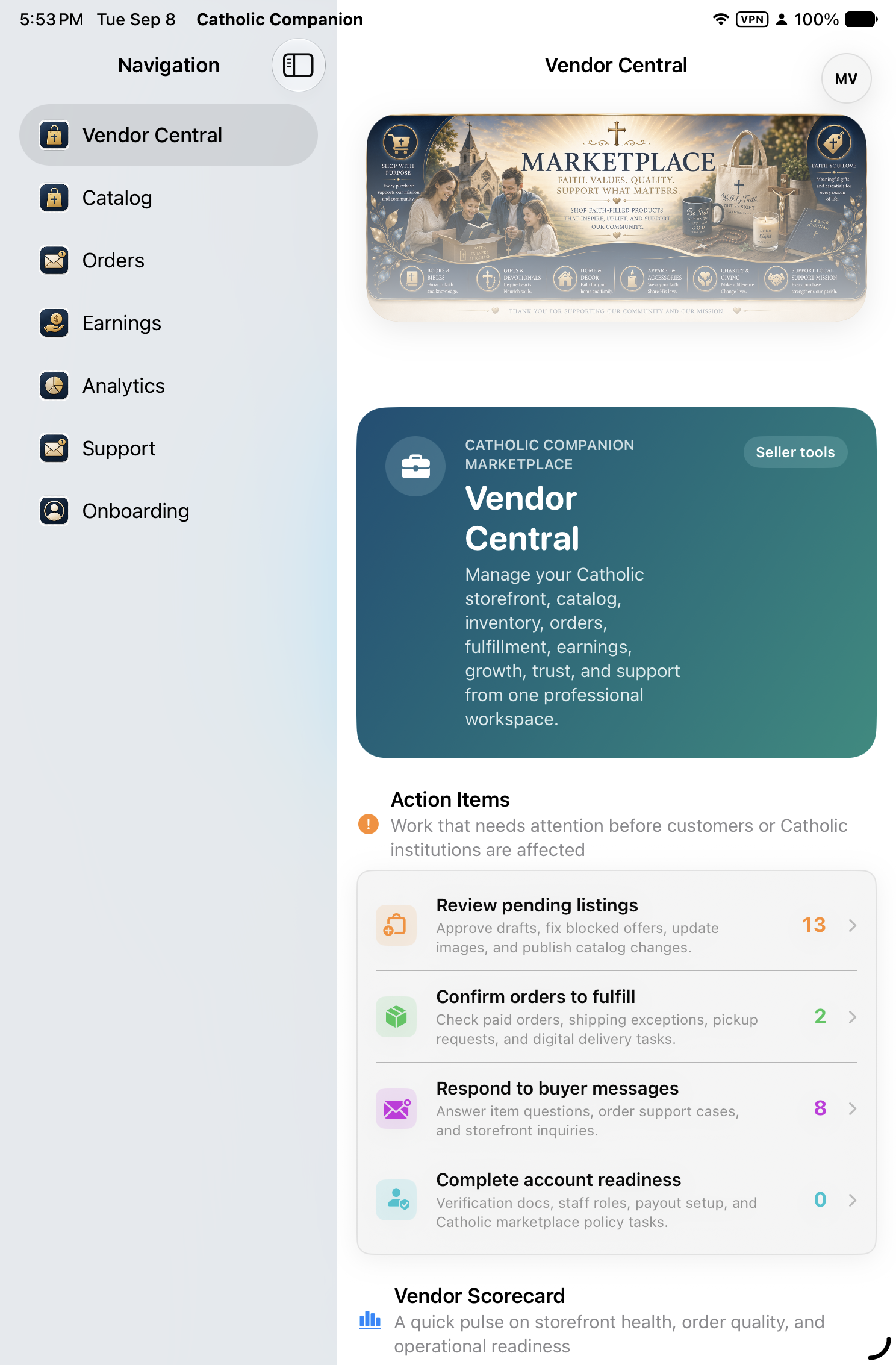
The iPad Vendor Central screen organizes seller navigation and action items. Counts are demo fixtures, not customers, sales, or live marketplace activity.
Select the image to view the full screenshot.
01
Shared by design
Identity, organizations, authorization, communications, payments, audit, and governed intelligence are shared platform services. Each domain remains authoritative for its own records.
Individuals & Families
Parish OS
School OS
Diocese OS
Vendor Central
CCLOUD
Lux
02
Permission before presentation
Every workspace is derived from the user’s verified role, institution, and capabilities. Interface visibility supports—never replaces—server authorization and row-level data policy.
03
Available
The current web experience introduces the public site, authenticated shell, real identity integration, and security foundation. Additional workflows are introduced only after their product and security checks are complete.